



Workshop management
Vortex helps not only auto parts stores but also vehicle service centers manage their business.
Workshop job catalog
The program includes a basic workshop job catalog with around 15 categories and 10–20 jobs in each. You can add your own categories and jobs.
Each job supports a category, name, standard labor hours, hourly rate, currency and note.
You can attach parts inquiry templates to jobs. For example, link a “cabin filter” template to “replace cabin filter”. When booking this job, the system offers to send a parts inquiry to the sales manager automatically.
Documents
Printed documents play an important role in any business, including workshops. Vortex recognizes this and continually improves its document system.
Today, virtually every action in Vortex comes with a corresponding document and a printable form.
Examples of workshop documents our customers often ask about:
- Work order.pdf
- Vehicle handover report.pdf
- Work completion certificate.pdf
Workshop bookings
A booking requires the customer, service bay and appointment time. Add jobs immediately or later if the work is not yet known. Record the customer’s vehicle, including VIN, registration number, mileage, make, model and specifications. A change history is kept for each booking and job, so you always know who changed what and when.
Useful workshop booking features:
- Attach files to bookings (.pdf, .xlsx, .png and more).
- Apply discounts to jobs.
- Complete a booking in stages and issue multiple work completion certificates for one booking.
- Mechanics can mark individual jobs as done without closing the booking, making progress clear.
- Mileage is saved in the customer’s garage. Read more in the sections below.
Statistics
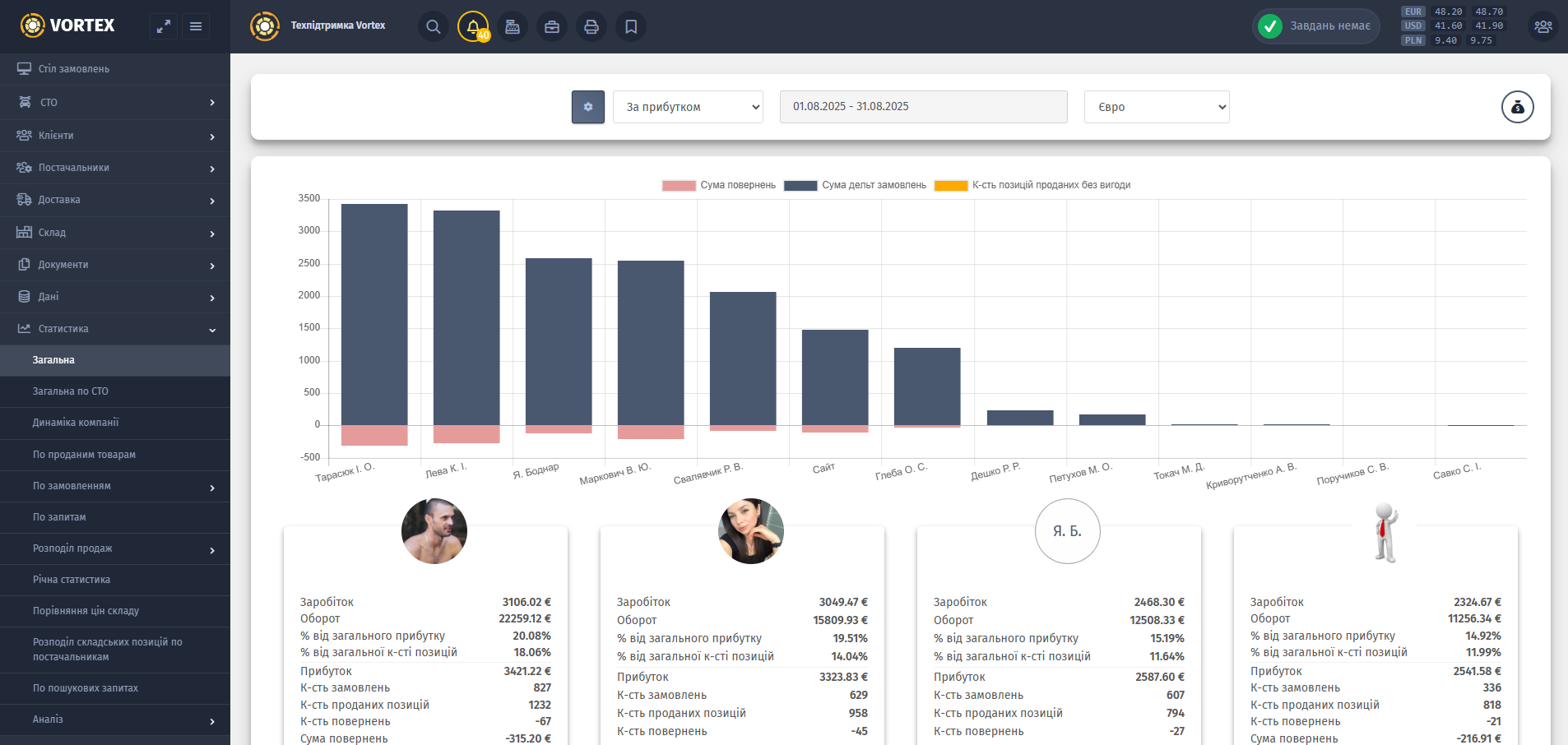
Vortex workshop statistics bring all key business metrics together in one comprehensive module.
These metrics include:
- Earnings by service bay
- Earnings by mechanic
- Earnings by service advisor
- Total workshop earnings
- Workshop expenses by category
- Most popular jobs
- Jobs completed by each mechanic over a period
Booking calendar
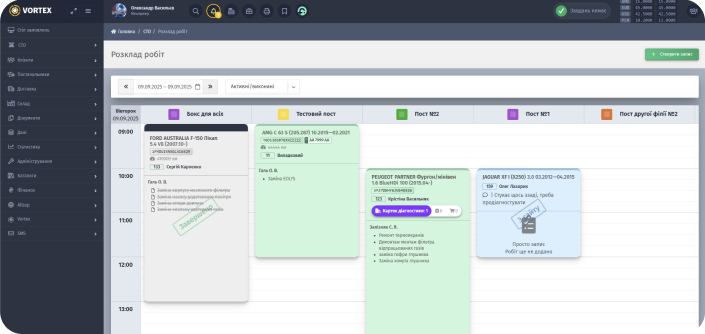
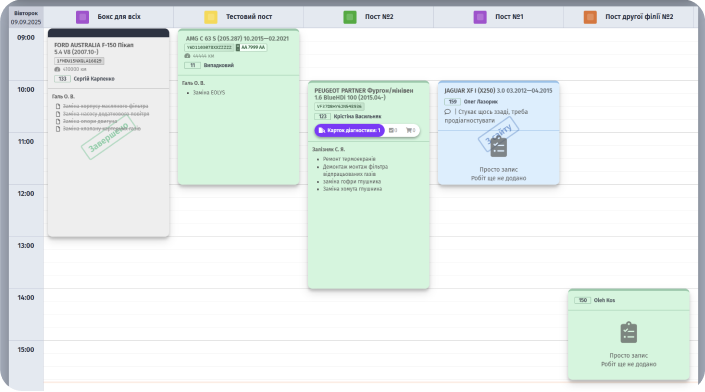
The booking calendar gives you a clear view of workshop activity, helps you find available slots quickly and makes booking management easy.
The calendar has two views:
- All service bays for a selected day.
- A selected service bay for the week.
Create a booking by clicking its start and end times. You can also quickly edit, cancel or complete bookings.
Each Vortex customer has a cart that can include workshop jobs. Add the required jobs first, then create a calendar booking directly from that cart.
Mileage history
Vehicle details entered in a workshop booking are saved in the customer’s garage. Entering mileage creates a mileage history entry, recording which jobs were carried out at which mileage and helping plan scheduled maintenance.
The mileage module supports reminders by date, mileage or both. Date reminders send the customer an SMS on the chosen day. Mileage reminders notify the manager when a new booking records a mileage above the set threshold.