



Integration with Vortex
Bank APIs
View transactions from connected business accounts in Vortex and create financial entries based on actual account activity.


Vortex + Bank APIs
What the integration offers
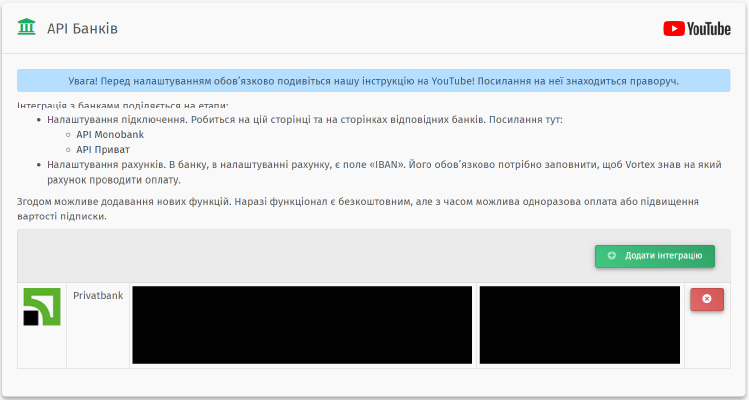
Connect your bank account
View recent transactions
Create a financial transaction in Vortex from a real bank transaction in one click!
All transactions in one list, filtered by account or operation type, with search by amount, recipient, note and more
Connect a business account
Bank integration helps automate work with financial transactions. Connected account data appears in Vortex so a manager or accountant can process it in the accounting system. Connection availability depends on the bank and account type.
- Connect an account to work with bank transactions.
- View actual incoming and outgoing payments.
- Confirm support for your bank and account type before connecting.
Turn transactions into financial entries
Select a bank transaction and create a Vortex financial entry from it in one click. Once posted, it disappears from the unprocessed transaction list, making it easier to see which account movements still need attention.
- Create a financial entry from a bank transaction.
- Reduce manual copying of amounts and payment details.
- Keep a separate list of transactions awaiting processing.
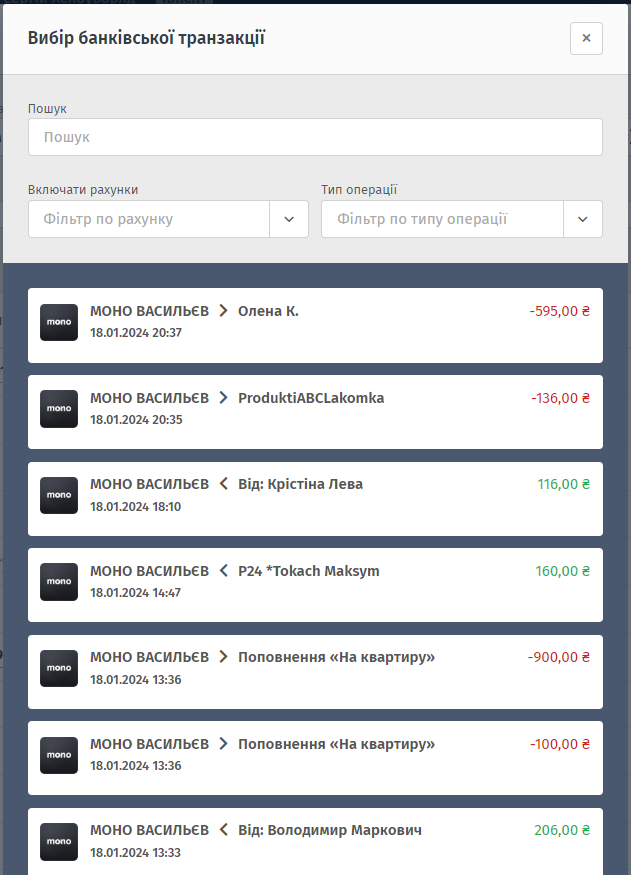
Find the payments you need
Work with transactions in one list and narrow it down using the appropriate criteria. Filter by account and operation type, or use general search to locate a particular payment by a known amount or other details.
- Filter by account, incoming payments and outgoing payments.
- Search by amount and recipient.
- Find payments by their note.