


Integration with Vortex
TecDoc Inside
The official TecDoc catalogue integration lets you find vehicles, select compatible parts and view technical information directly in Vortex.


Vortex + TecDoc Inside
What the integration offers
Find vehicles by VIN
Find matching parts and filter by favorite brands and vehicle assemblies
Check parts compatibility with vehicles
Look up parts information
Select parts from the world’s largest catalog database
Find the right vehicle
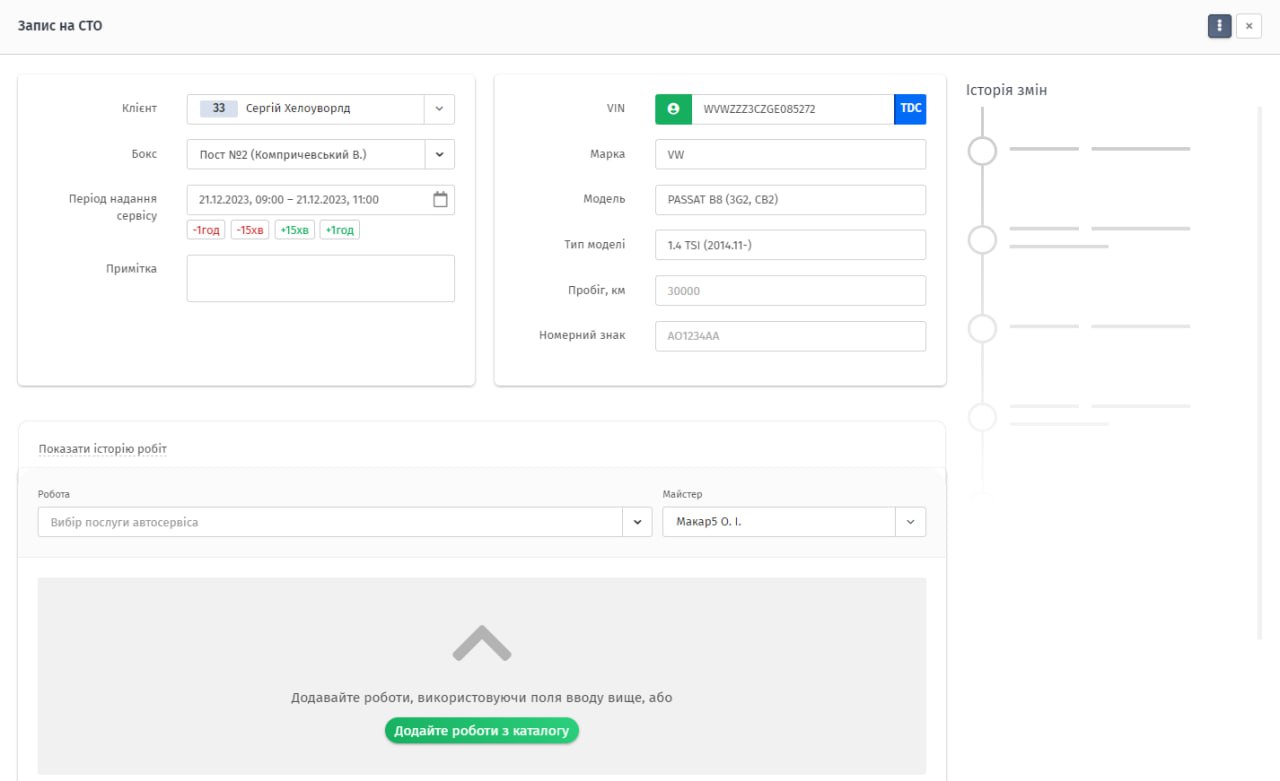
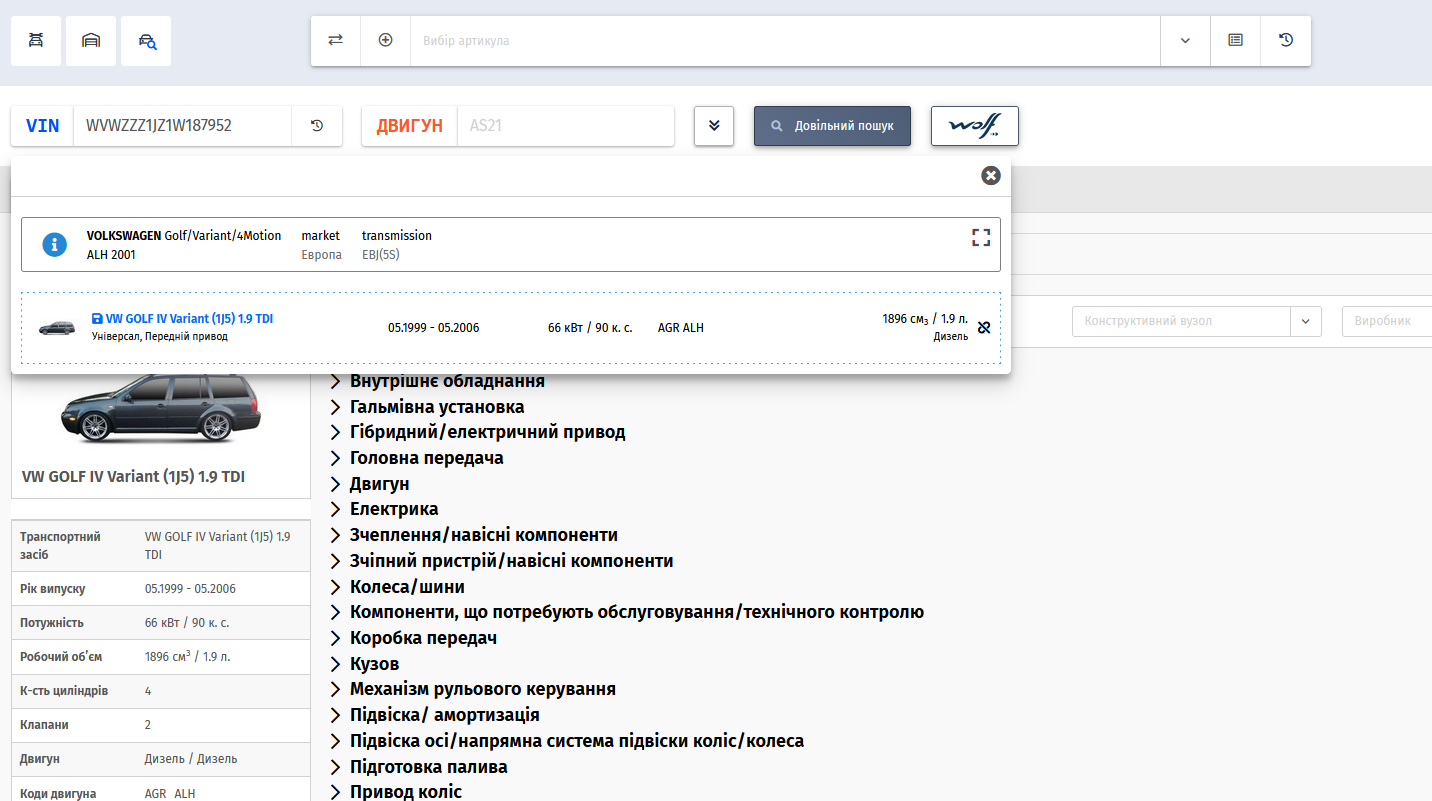
Start with a VIN, an engine code or a manual catalogue search. Make, model and variant details help you work with the correct vehicle and move straight to the parts that apply to it.
- Vehicle search by VIN.
- Select a vehicle by engine code or manually.
- Populate make, model and variant from the catalogue.
Select parts by category
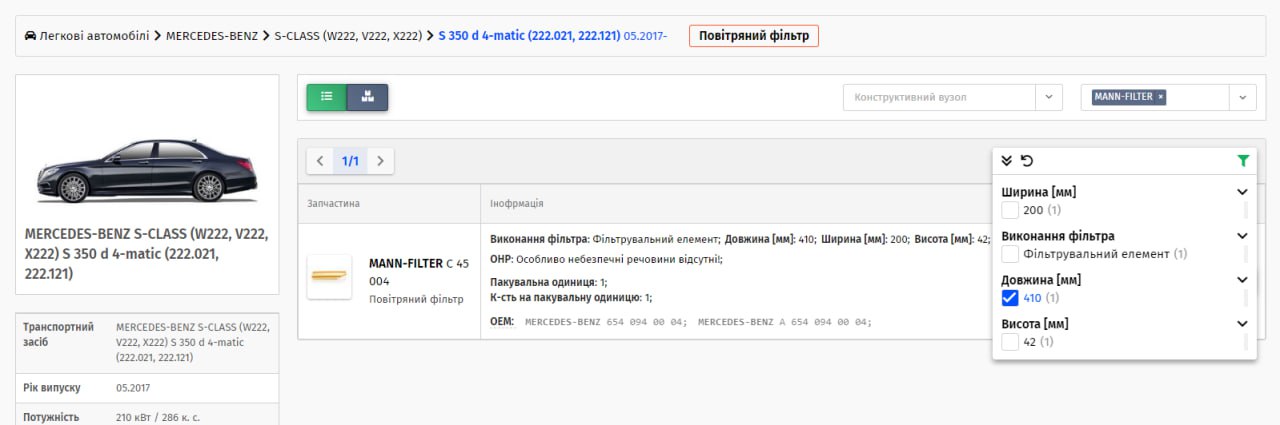
Navigate to the required parts group and narrow the results by manufacturer and specifications. Filters and favourite brands make it easier to find the right items among the many options in the catalogue.
- Browse categories and vehicle assemblies.
- Filter by brand and part specifications.
- Check whether a part fits the selected vehicle.
Check information and compatibility
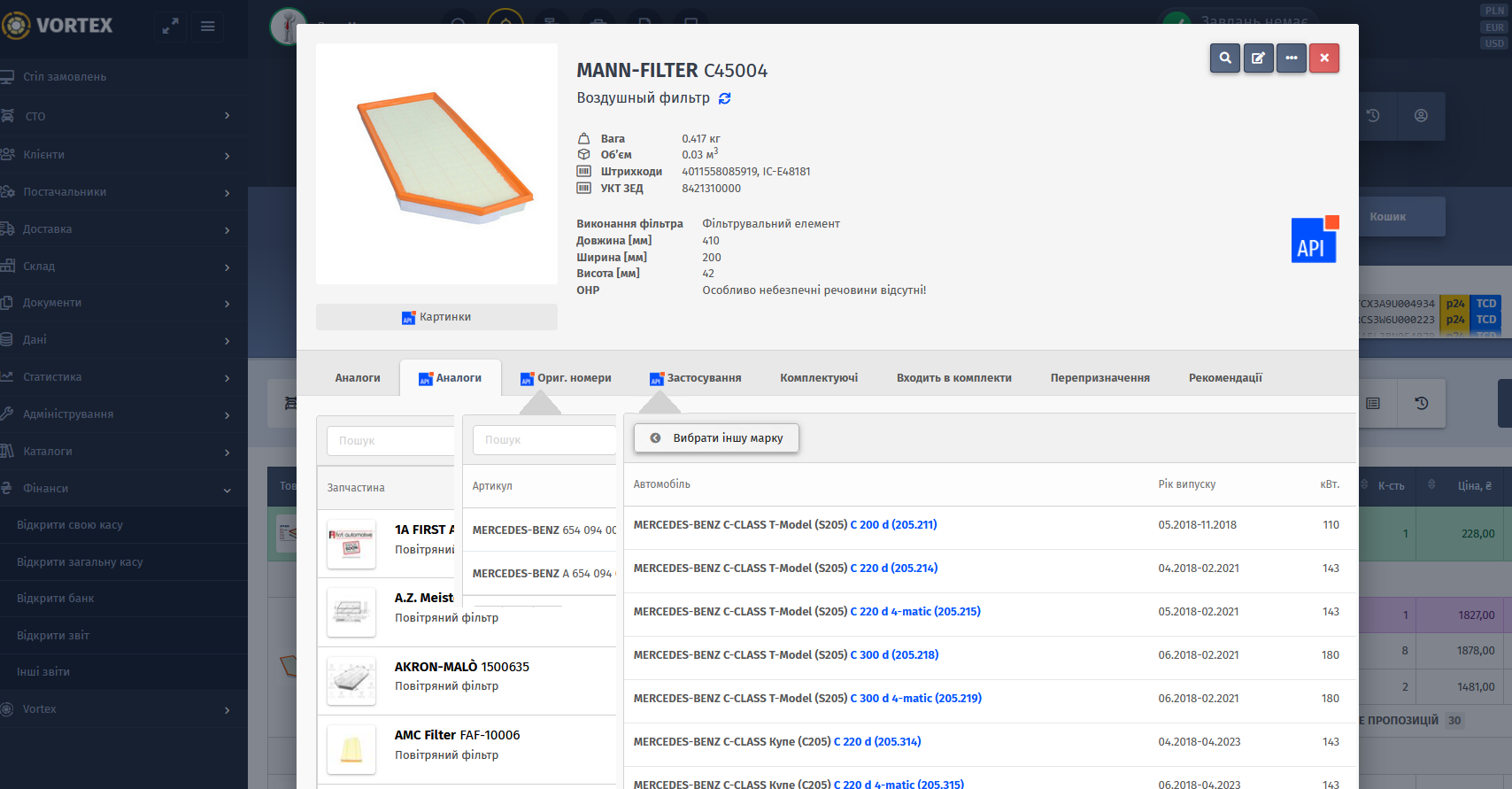
Before selling a part, review its description, images, technical specifications and reference numbers. Alternative parts and fitment information for other vehicles help you compare options and select a part that meets the customer’s needs.
- Part numbers, original OEM references and alternatives.
- Images, descriptions and technical specifications.
- Fitment by model, year and other vehicle details.